How to create a scavenger hunt
Choose a place, write a short list of challenges and decide how players will show they have completed each one. Start with five tasks, test them with a friend, then bring your group together for the hunt.

Start with a place and a purpose
For a first hunt, use one venue or a compact walking area. Decide whether you want people to meet, explore somewhere new or solve a puzzle together. That choice gives you a reason for every task you add.
The example below is designed for a social gathering with small teams. Allow roughly 30 minutes for five tasks and another ten minutes to share the results. Walk the route and try the tasks before choosing your finish time.
Choose how the hunt unfolds
Complete tasks in any order
Give players several challenges to choose from. One team can take a photo while another solves a clue, so everyone does not queue at the same spot. This is a useful starting point for a social meetup.
Follow a trail of clues
Make completing one task lead to the next. Use this when the order matters to the story or route. Test every answer and connection: a single unclear clue can hold up the whole team.
Work towards a shared finish
Give teams different branches of a quest, then bring them together for a final task. unison supports cooperative quests as well as individual and team play. Start with a simple shared task list if this is your first hunt.
Write the brief before the clues
Tell players where they can go, what they need to submit and when to return. Keep the meeting point somewhere easy to find. If the route involves walking, explain the distance and offer tasks people can complete at the venue.
For a phone-based hunt, check internet coverage and bring a charged phone. Decide who will watch incoming submissions so teams do not wait for approval while the host is busy elsewhere.
An example player briefing
You have 30 minutes to complete five tasks around this room and the courtyard. Stay inside those areas and return to the welcome table at 3:30. Submit one answer per team for each task. If you get stuck, come to the welcome table for a hint.
A five-task scavenger hunt to build
For a venue with a welcome table and noticeboard. Put up the gardening-club poster and final code before guests arrive.
Find a detail in the room
Photograph something with a repeating pattern. It could be a tile, fabric or part of a display. Accept one clear photo showing the pattern; the team does not need to appear in it.
Find a pattern you walked past without noticing. Take a photo close enough for us to see it.
Solve the noticeboard clue
Before the hunt, put a poster on the noticeboard reading ‘Gardening club · Saturday’. Create a multiple-choice task with Tuesday, Thursday and Saturday as the options, and mark Saturday correct.
Find the gardening club poster. On which day does the club meet?
Discover something in common
Ask the team to speak to another participant and submit a shared interest plus one detail from the conversation. Review the answer for both parts; ‘we both like music’ needs a little more detail.
We both play guitar. Morgan is learning the first song they heard at a concert.
Create an album cover
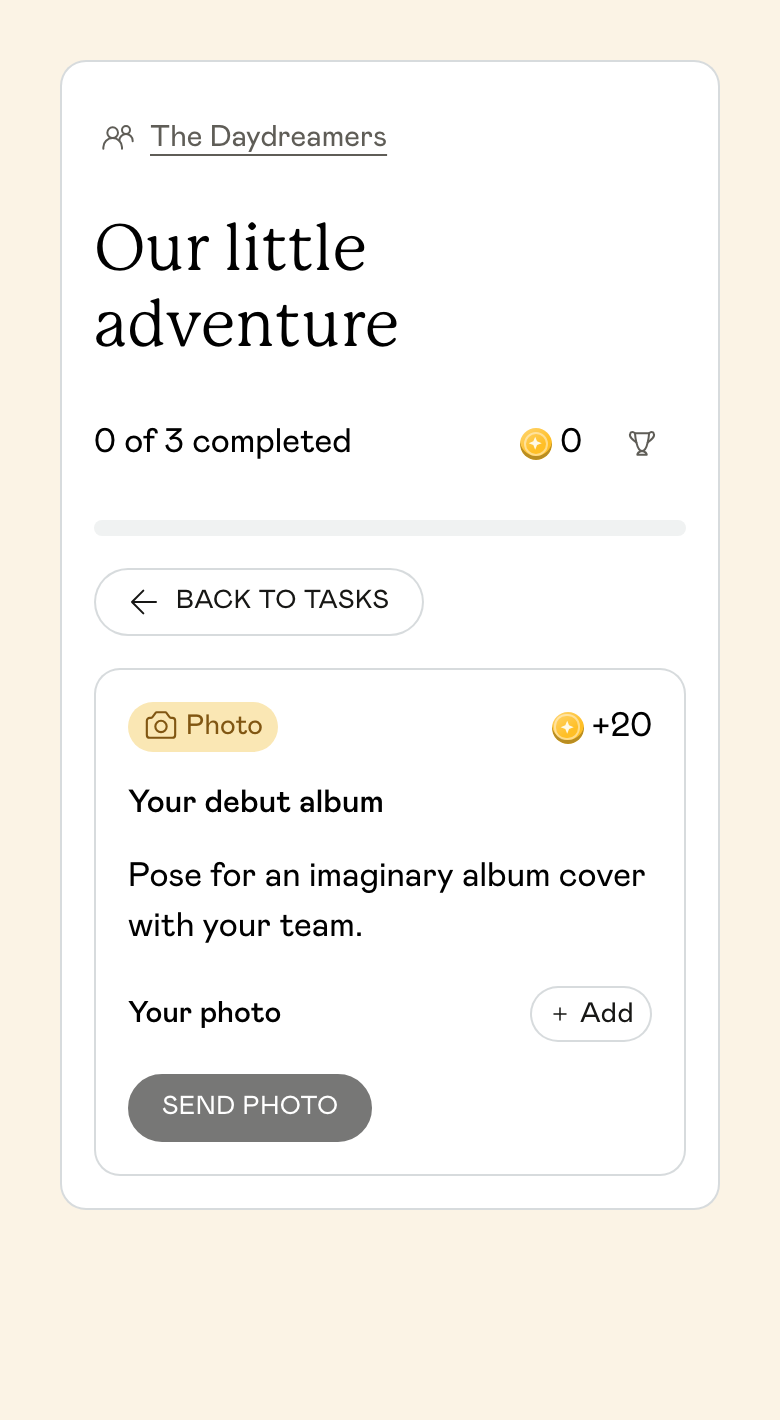
Ask the team to pose for an imaginary album cover. Award the points for a photo that follows the brief, rather than making completion depend on whether the host finds it funny. Anyone who prefers can direct or take the picture.
You are a band releasing your first album. Show us its cover using only your team and the space around you.
Find the final word
Place a card marked ENCORE at the welcome table before play. Add a Secret code task that accepts ENCORE. The clue returns teams to the host, ready to share their photos and discoveries.
Return to where the host welcomed you. Find the card with the final word and enter it to finish this task.
Make each task easy to understand and check
A task needs an action, a boundary and a clear submission. ‘Find something interesting’ leaves the player guessing what you want and the host guessing whether to accept it.
For a photo, say what must be visible. For a text answer, say which details to include. For a puzzle, write down the correct answer before you write the clue. Keep creative tasks open-ended, but give them an objective completion rule.
From a vague prompt to a playable task
- Vague: Take a funny photo.
- Action: Recreate the pose on the example card.
- Boundary: Use the room or courtyard, with your teammates.
- Submit: One photo showing the pose.
- Accept when: The photo follows the example; no judging who looks funniest.
Build your scavenger hunt in unison
Scavenger hunts are built as Quests and are included with Events. Prepare on a computer; guests open tasks and submit answers in their phone browser.
Create an event with Quest selected
Use Create your scavenger hunt below, choose your occasion and name the event. Open the Quest setup from your event. Browse templates for a starting point or use Add new to write a task.
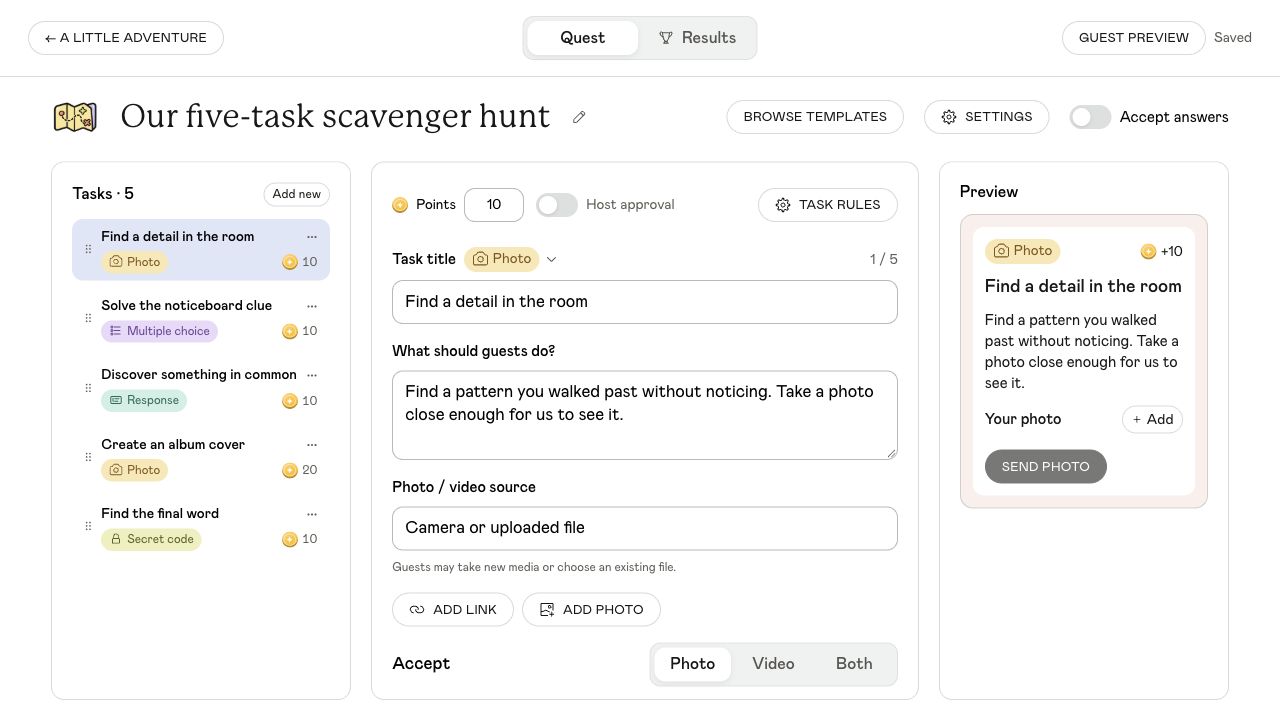
View full size ↗ Choose the format in Settings
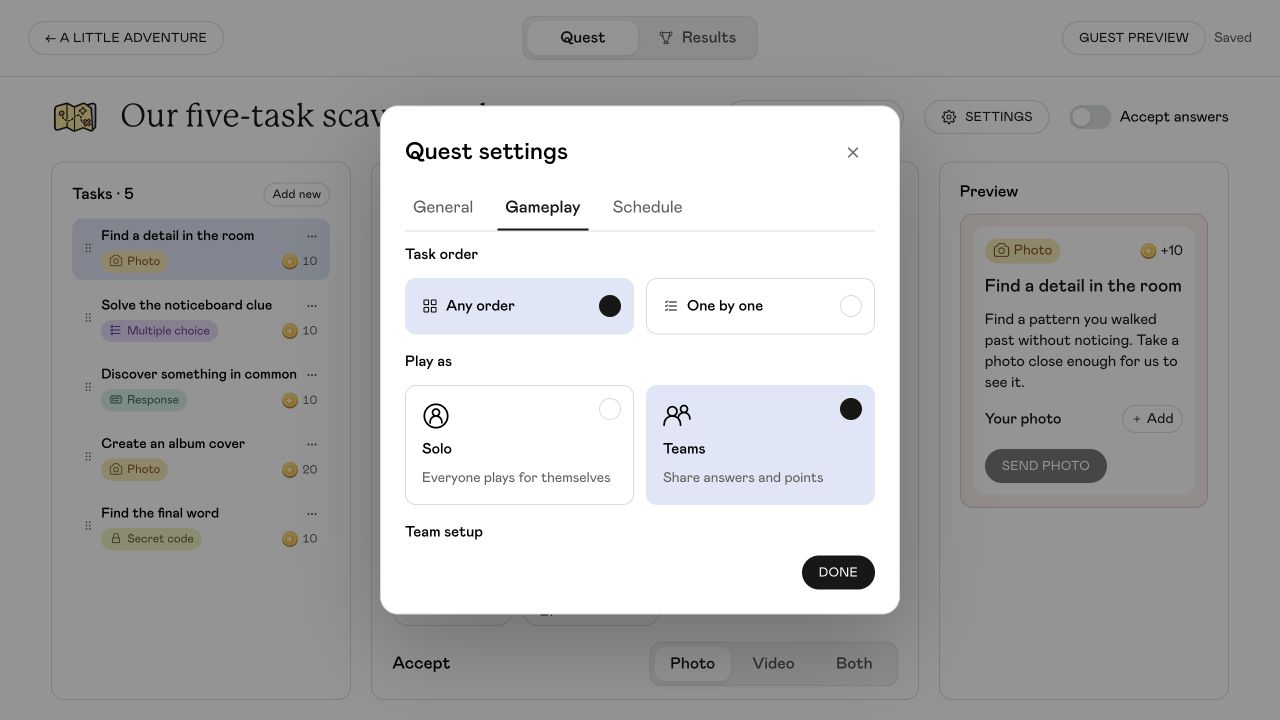
Decide whether guests play individually or in teams and whether they can explore freely or follow a trail. Use the General tab to choose whether to show the leaderboard. For the five-task example, open Gameplay and select Teams and Any order.
View full size ↗ Add the tasks and completion rules
Give each task a title, instructions and points. Choose Photo, Response, Multiple choice or Secret code for the examples above. Set the correct answer for puzzles. Leave Auto-check off when you want to approve a photo or written response yourself.
Check Guest preview and the save status
Use Guest preview to read the hunt as a participant. Check your task order, clues and attachments. Wait for Saved before leaving setup, and fix any validation issues before opening the quest.
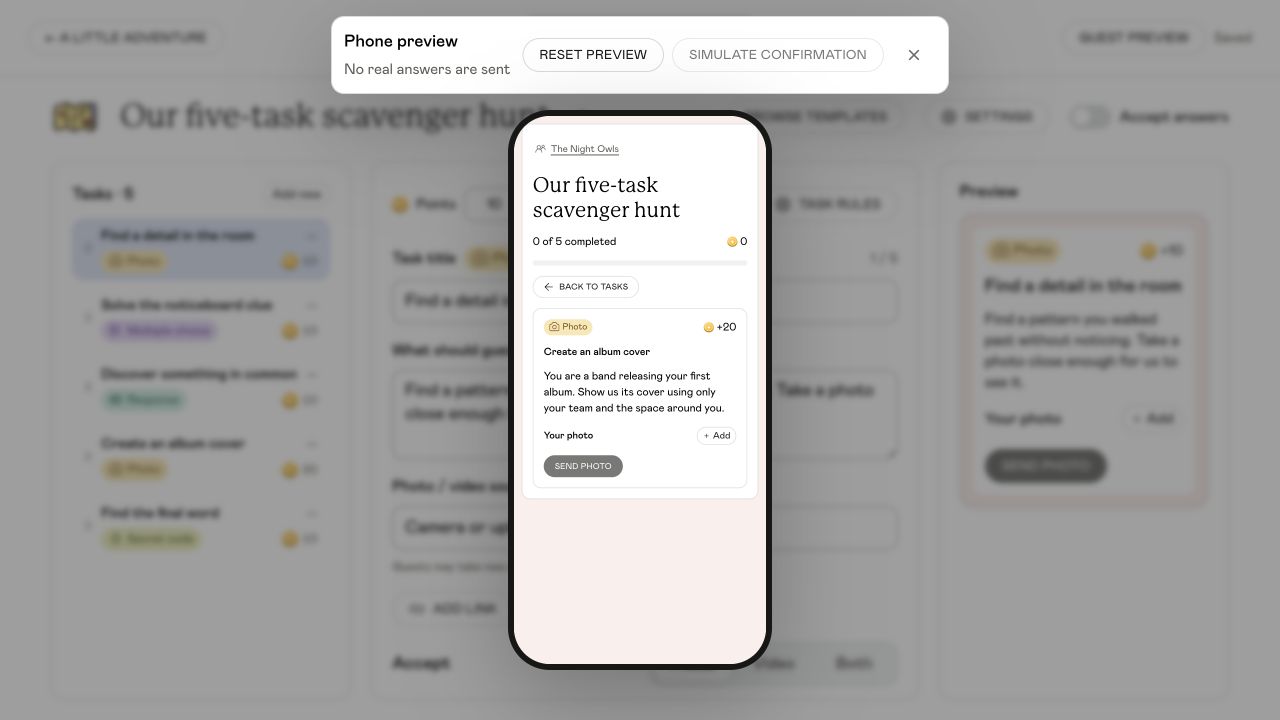
View full size ↗ Open the hunt and review answers
When you are ready to play, turn on Accept answers. Share the event link or QR code, explain the brief and let players join. Use Results to follow progress and review submissions. Turn Accept answers off when you close the hunt.
Test the hunt before inviting the whole group
Ask someone else to read the clues
Give them the instructions without explaining what you meant. Rewrite any task that needs a spoken explanation. Check that posters, cards and other physical clues are in place.
Try the guest journey on a phone
Open the event link, find the Quest and try a sample submission in a separate practice event. Guest preview helps you read the tasks, but a phone test also checks connection, permissions and uploads.
Try a wrong answer and a pending photo
Check what the player sees when a code is wrong and while a photo waits for review. If a later task depends on completion, make sure you understand what unlocks it.
Time the slowest part
Allow for walking, conversation and host review. With six teams and three reviewed tasks each, you could receive 18 submissions. Reduce the task count or ask another host to help if that is too much to review during play.
Finish with the discoveries
Ask teams to return at the agreed time, review remaining answers and share a few highlights. Give each team a chance to explain a photo or introduce someone they met. Announce scores if you are using them, then leave room for conversation.
You can use the example with a printed task sheet and a host checking answers by hand. Live unison tasks, uploads and progress need internet.
Adapt the hunt to your gathering
Community meetups
Include introductions, shared interests and details of the venue or neighbourhood. Mix newcomers with regulars so everyone has someone to explore with.
Hen parties
Use a friendship photo to recreate, the bride’s favourite colour and a team challenge. Keep the route close to your venue so the hunt fits around the rest of the day.
Weddings
Choose photo prompts guests can return to during the celebration. Keep them easy to complete without interrupting the ceremony or speeches.
Common questions
How many tasks should a scavenger hunt have?
For a first hunt, try five varied tasks and allow about 30 minutes, plus a briefing and time to share results. Test the route and allow extra time for walking, conversation and reviewing submissions.
Can I make a scavenger hunt for free?
You can adapt the example on this page into a paper task sheet for free and check answers yourself. Building and running a Quest in unison requires Events.
Does every task need a right answer?
No. Codes and multiple-choice puzzles need a correct answer. Photo and conversation challenges can have several valid submissions. Give players a clear brief and tell them what you will accept.
Do players need to download an app?
No. They open the event link or scan its QR code in their phone browser. Live tasks and submissions need internet. A shared TV is optional for a hunt.
Can I run the hunt indoors?
Yes. Use objects and displays in the venue. The five-task example can fit inside a room with a noticeboard and welcome table.
Build your first five tasks
Create an event, add a Quest and try the guest experience before the day.
Create your scavenger hunt