Birthday quiz from photos and stories
Ask a few friends for a photo or memory, turn their replies into questions and add an easy round for newer guests. Host on a shared screen while guests answer on their phones.
Collect guest stories with Events
Choose every question and reveal
Mix personal and ready-made rounds
Guests answer on their phones
Turn one photo into a quiz question
Choose a photo with a visible clue, such as a place or an object. Ask one question about it, then let the birthday person tell the story.
Ask a few people from different chapters of their life for one photo and one memory each. You’ll have more variety than you get from relying on your own recollections.
Where did Sam take this holiday photo?
Sam booked the trip for the art galleries. The family remembers it as the week they ate pizza twice a day.
Build a quiz with more than one way to shine
A personal quiz can include the whole room. Place easier visual and music rounds between the stories that close friends know best.
The early years
Use childhood ambitions, first jobs or an old school photo. Ask someone who was there to check the answer.
Which of these jobs did they want at ten?
The person everyone recognises
Turn a favourite meal, repeated phrase or much-loved hobby into a quick multiple-choice question.
What would they order before even opening the menu?
The picture that needs explaining
Choose a photo with a visible clue. Ask about the location or what happened next, then share the original story.
What happened five minutes after this photo?
A round for the whole room
Add ready-made music, film or general questions so newer friends have their own chance to lead.
From scattered memories to a game you can host
unison keeps collection, editing and the live quiz in the same event.
Create the birthday and invite contributors
Choose a personal quiz. With Events, send private questionnaires to a few friends and family; their answers and photos arrive in your event.
Shape the stories into rounds
Review the contributions, write the questions and check the correct answers. Add an easy opener and a final photo or story reveal.
Preview on a computer, then bring everyone in
Run through the quiz before the party. On the night, use a shared screen and invite guests by QR or link to answer on their phones.
Keep room for the stories
For a first birthday quiz, try 12–15 questions over roughly 20 minutes. A photo reveal can start a conversation, so rehearse the actual running order instead of counting questions alone.
If the guest list spans several friendship groups, put people who know different parts of the story together. Let the birthday person enjoy the reveals rather than carry the whole game.
Three sample birthday quiz questions
Before you begin
- Choose a ready-made quiz or collect a few stories and photos.
- Review every question, option and answer before the event.
- Host the quiz and let guests join by link or QR code.
Where did Sam first work?
- AA bookshop
- BA café
- CA cinema
Answer A · Revealthe staff discount started a lifelong reading habit.
What is Sam most likely to choose for a free afternoon?
- AA long walk
- BA cooking class
- CA film marathon
Answer A · Revealpreferably with a bakery along the route.
Which item always comes on holiday with Sam?
- AA sketchbook
- BA camera
- CA travel chess set
Answer B · Revealeveryone ends up in the annual photo album.
See the hosting workflow
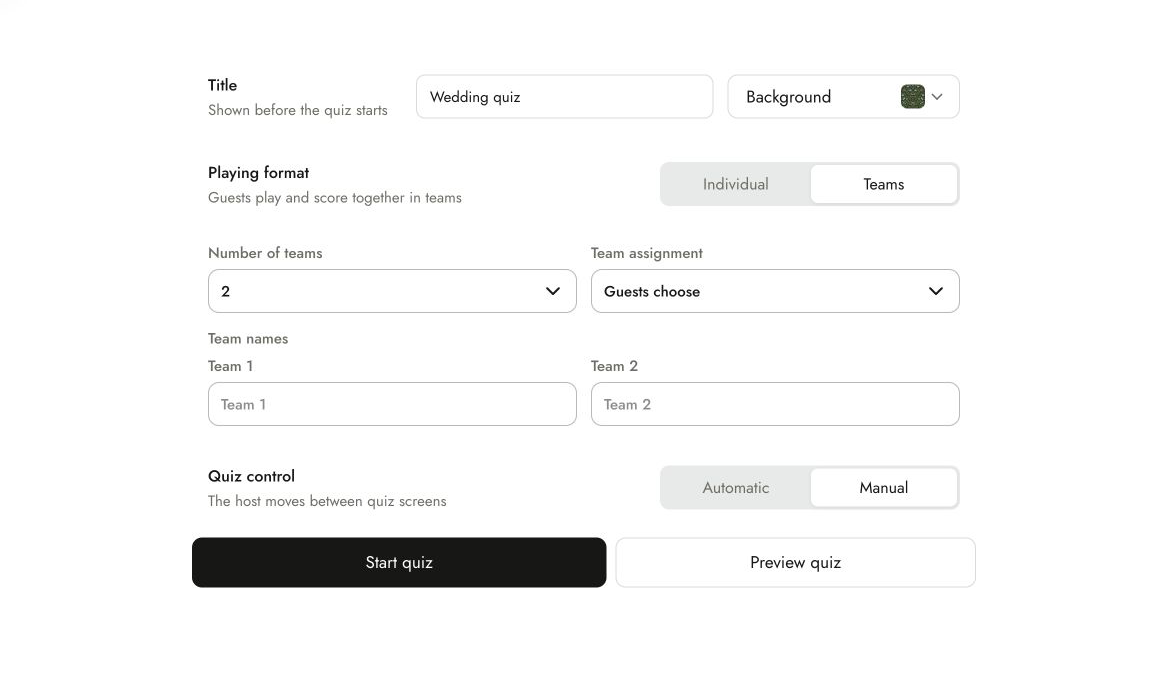
The organiser prepares and reviews the quiz, checks how guests will answer and previews it before hosting. Use a shared display, guest phones and internet; test sound for music rounds.
Choose a ready-made quiz when you do not need personal questions. If you collect stories, approve them and their answers before play.
Common questions
Do I have to collect stories from every guest?
No. Invite a few people with different memories, or write the questions yourself. Collection is optional; ready-made rounds can fill out the quiz.
Can the quiz be a surprise?
Yes. Collect stories from friends or family and confirm the answers with them. Keep the quiz with the host until the party.
Can I include photos and music?
Yes. Use your photos for personal questions and add music or picture rounds. Preview the media and test the venue’s sound before guests arrive.
What equipment do I need?
Prepare and preview the quiz on a computer. For live play, use a shared screen, guest phones and internet. Guests join in their browser without installing an app.
Choose the photos and questions for your quiz
Create the birthday, invite a few contributors and check the answers before guests play.
Create your birthday quiz