Wedding bingo that becomes part of the day
Give guests little reasons to look around, take a photo and meet someone new. Build a wedding bingo card in unison and let everyone play from their phones as the reception unfolds.

Guest clues, photos and playful tasks
Choose a 4×4 or 5×5 card
A shared layout or shuffled cards
Guests join in their browser
Choose what you want the card to do
Help the two sides meet
Guest bingo turns real facts into reasons to start a conversation. Collect a few clues before the wedding and keep the guest names out of the wording.
Find someone who went to school with one of the couple.
Collect the guest perspective
Photo bingo asks guests to capture small moments the couple may miss. Each challenge gives them a reason to open the camera.
Take a photo of everyone at your table.
Mix people, pictures and actions
A mixed card gives guests several ways to join in. Choose achievable tasks and explain what completing each kind of square means.
Meet someone new, take a group photo and request a song.
Write squares that lead to a moment
Start each square with an action: find someone, take a photo or ask a question.
Use clues with a match on the guest list and photo tasks that fit your venue.
A few squares to start a conversation
- Find someone who shares one of your hobbies.
- Take a photo with someone you met today.
- Ask a guest how they first met the couple.
- Gather your table for a group photo.
Set up the bingo card before the wedding
Create your wedding bingo
Hosting and editing bingo in unison requires Events, including cards without photos. Choose the style and card size, then edit the suggested squares. The sample card on this page can be printed and played without an account.
Choose the finish
A first line suits a short game; a fuller card gives guests more to do over the reception. Set the win rule and decide how to recognise a winner.
Share the event link
Guests open the card on their phones. Introduce the game during a quiet moment and let them return to it between food, speeches and dancing.
Make the card fit around the wedding
Start with a 4×4 card for a light activity. Choose 5×5 when the game will stay open longer and you have enough distinct tasks.
Open the game during drinks or the evening reception, and pause it for speeches.
Wedding moment bingo
Edit any square that will not happen at your venue, then print the complete 4×4 card. This sample can be played on paper without an account.
How to play
- Agree a finish: one row, one column or one diagonal of four squares.
- Mark a square only when it happens. Ask the host to check your completed line.
Your card
- Someone proposes a toast
- The couple laugh together
- A guest compliments the flowers
- A group takes a selfie
- Someone requests a song
- Two people meet for the first time
- A speech mentions how the couple met
- A table cheers
- Someone photographs the cake
- A guest spots an old friend
- Someone offers a helping hand
- A childhood story is told
- A guest signs the guest book
- Someone joins the dance floor
- The couple thank their guests
- Someone says “congratulations”
Play on guests’ phones
Guests open your event link to play bingo — no app needed. Prefer paper? Print the card above.
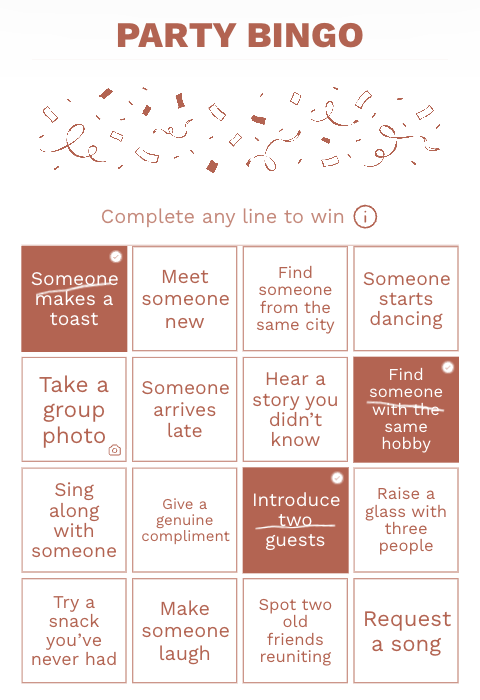
Common questions
Do all guests receive the same card?
You can keep one shared arrangement or shuffle the selected squares into different positions for each guest. Decide this while preparing the activity.
Does wedding bingo need a host or a shared screen?
Guests play the card on their phones, so bingo does not need a continuous presentation. Have an organiser explain the rules and be available for questions.
Can I make the clues personal?
Yes. Collect a hobby, travel story or connection to the couple from guests, then turn each fact into a clue without the person’s name.
Do guests need to download an app?
No. They open the event link or QR code in their phone browser. Online play needs an internet connection.
Build a bingo card for your wedding
Choose a bingo style, edit the squares and have the card ready before the reception.
Create your wedding bingo