See your wedding through your guests’ eyes
The table selfies. The reunion by the bar. The dance-floor group shot. Give guests photo challenges in unison and collect their contributions in the event feed.
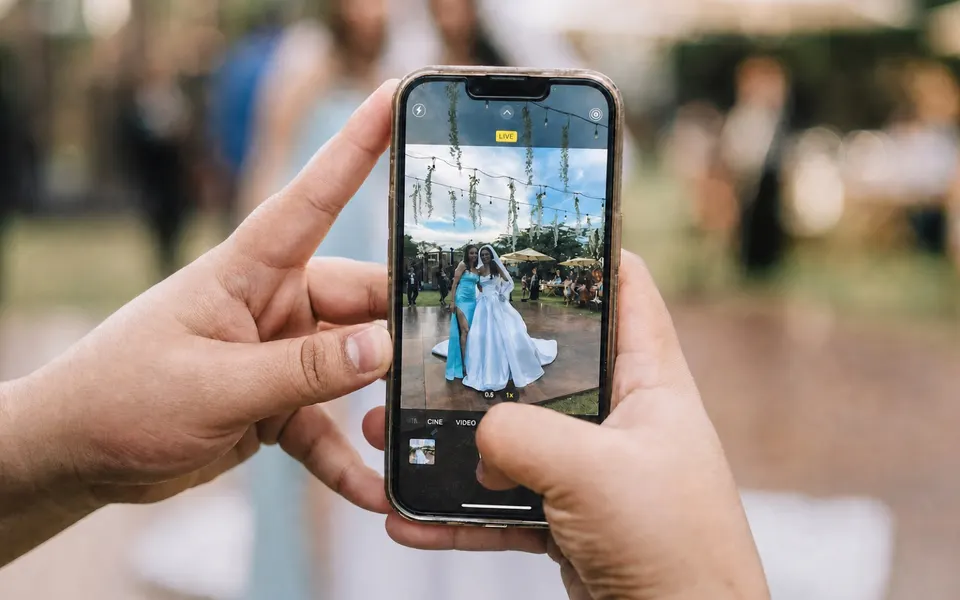
Photo challenges on guest phones
Uploads appear in the event feed
Personalise each square
Play throughout the reception
Catch the moments outside the formal shot list
Your photographer can’t be at every table. A photo hunt invites guests to capture the parts of the day they are already enjoying, from a tiny decoration to a long-awaited reunion.
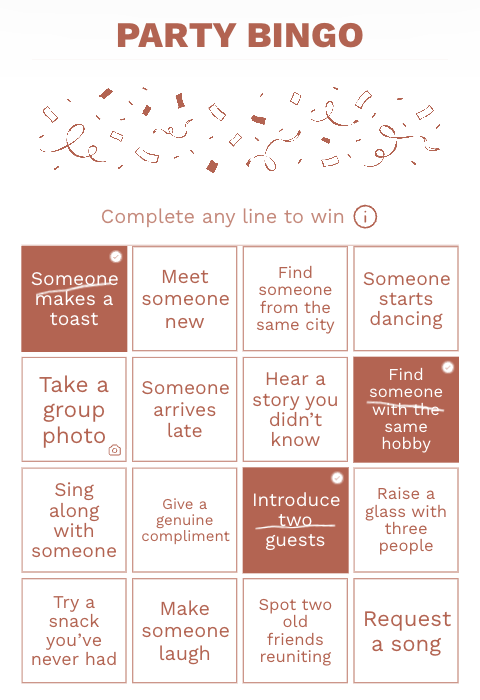
In Photo Bingo, a guest taps a square, takes or chooses a photo and uploads it. The picture joins the event feed with the guest’s name and challenge.
A challenge guests can do from their table
Take a photo of everyone at your table before dessert arrives.
Six wedding photo prompts for guests
Balance group pictures with details and scenes. That gives guests who prefer to stay behind the camera a way to join in too.
The table together
Ask for one group picture while everyone is still seated. Keep the prompt open so guests can choose a good moment.
A detail worth remembering
A handwritten place card, a flower arrangement or the smallest cake decoration can tell part of the day’s story.
A reunion
Capture friends or relatives meeting again after a long time apart.
A new connection
Take a picture with someone you met at the wedding.
The room after dark
Let guests capture the lights and atmosphere. This works without asking anyone to pose.
An old photo, recreated
Pick one group who already share a favourite picture and invite them to recreate it when everyone is free.
Turn the ideas into a live photo hunt
Choose Photo Bingo for your wedding
Build a 4×4 or 5×5 card with achievable challenges. Replace anything that doesn’t fit your venue or guest list.
Explain where pictures will go
Guest uploads appear in the event feed, bringing everyone’s photos together in one place.
Give guests time to take photos
Guests can return to the hunt between reception moments. Keep it open during a loose window, rather than sending everyone off at once.
Keep the camera out of the way
Leave the aisle, ceremony and formal portraits to the photographer. Choose prompts guests can complete from the spaces they are already using.
Start with a 4 × 4 card of 16 challenges for a shorter reception.
Wedding photo hunt
Edit any square that will not happen at your venue, then print the complete 4×4 card. This sample can be played on paper without an account.
How to play
- Use the list during drinks, dinner or dancing; keep the ceremony and formal photographs clear.
- On paper, mark each completed photo and agree how to share it. In Unison Photo Bingo, upload from each square to the event activity feed; uploads require internet.
Your card
- Everyone at your table
- A detail on the table
- Flowers at the venue
- The view from your seat
- Your place card
- Friends reconnecting
- A guest’s favourite detail
- The venue entrance
- A group from both sides
- Three generations
- A note for the couple
- The cake before it is cut
- The venue after dark
- A wide view of the dance floor
- A photo with someone you met today
- A recreation of an old group photo
Play on guests’ phones
Guests open your event link to play bingo — no app needed. Prefer paper? Print the card above.
Photo uploads appear in the event feed. Let guests know who can see their pictures.
Common questions
Do guests need an app or account to upload photos?
No. Share the event link or QR code. Guests enter their name in a browser, open a Photo Bingo square and take or choose a picture on their phone.
What’s the difference between Photo Bingo and Moments?
Events includes Photo Bingo, Secret Missions with photo proof and direct uploads to Moments. Bingo pictures appear in the Moments feed with the guest’s name and challenge; Secret Missions photos follow the host’s reveal settings. Games does not include these event activities or guest photo uploads.
Can a guest delete someone else’s photos?
No. Guests cannot remove another guest’s photos. With Events, a guest can remove a photo they uploaded directly to Moments.
Are there limits on photo uploads?
Yes. Each guest gets up to 30 upload attempts per hour. Photos up to 40 MB are uploaded in their original quality; a smaller preview is created separately for the feed. Direct Moments uploads on Events allow up to 20 photos per selection. Videos are not supported.
How do we download the photos after the wedding?
The organiser can download guest photos from games, Moments and questionnaires in Results & moments as ZIP files, with up to 100 photos in each part. Guest photo uploads require Events, which stores photos for 12 months after the event date. Download them before the deadline shown in your event.
Will it work without internet?
No. Guests need a connection to open the activity and upload photos. Check mobile signal and Wi-Fi where guests will sit, and keep a paper list of challenges as a backup. If an upload fails, they can retry when the connection returns; an unfinished Moments selection stays ready to retry while that page remains open.
Can we use this alongside a professional photographer?
Yes. Focus on table groups, guest reunions and small details, and ask guests to follow the photographer’s directions during formal moments.
Choose the moments guests can photograph
Create the wedding photo hunt, review the prompts and share the event link with guests.
Create your photo hunt