 Party bingo
Create a bingo card with people to meet, moments to spot and photos to take. Guests play on their phones throughout your event.
Part of your event. Guests join by link or QR code and take part on their phones.
What you can do
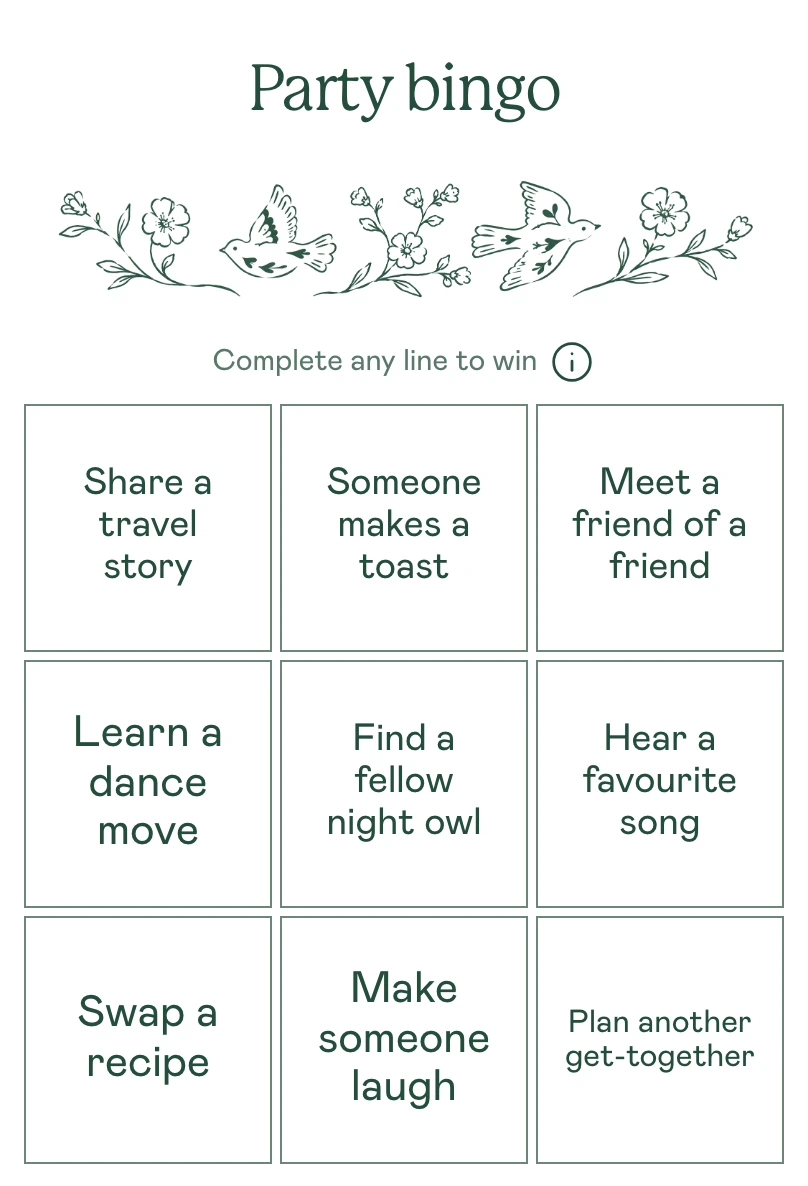
Give guests a reason to start a conversation or notice what is happening around them. Each square is a small task. Complete the winning pattern and call bingo.
Find the guest behind the clue
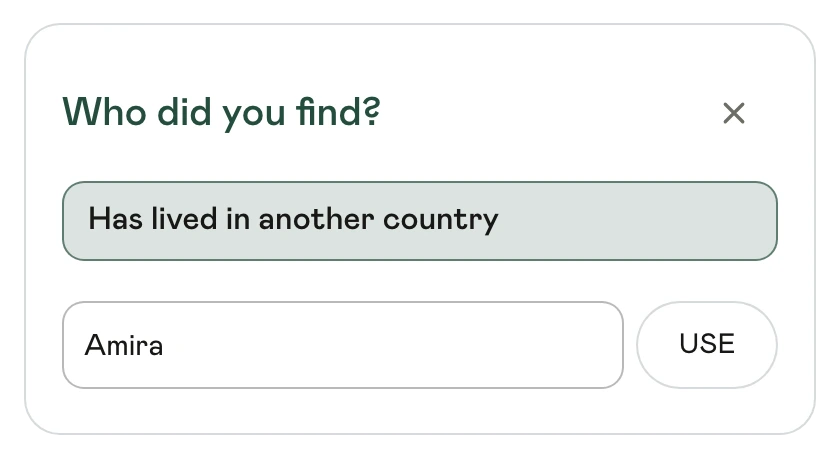
Add a fact such as “Has lived in another country” and the person it describes. Guests talk to each other, tap the square and enter a name. Use your guest list or add a name before that person joins.
Tap “Has lived in another country”, type A and choose Amira from the matching guests. The square is marked with her name. Turn a square into a photo challenge
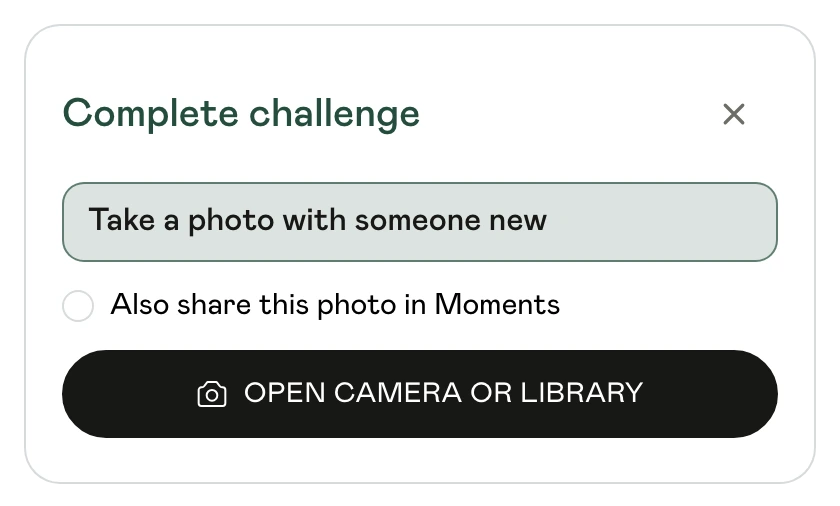
Ask guests to take a photo with someone new or capture a moment from the evening. Tapping a photo square opens the camera or library. Guests can also choose to share the picture in Moments.
Make the card look like your event
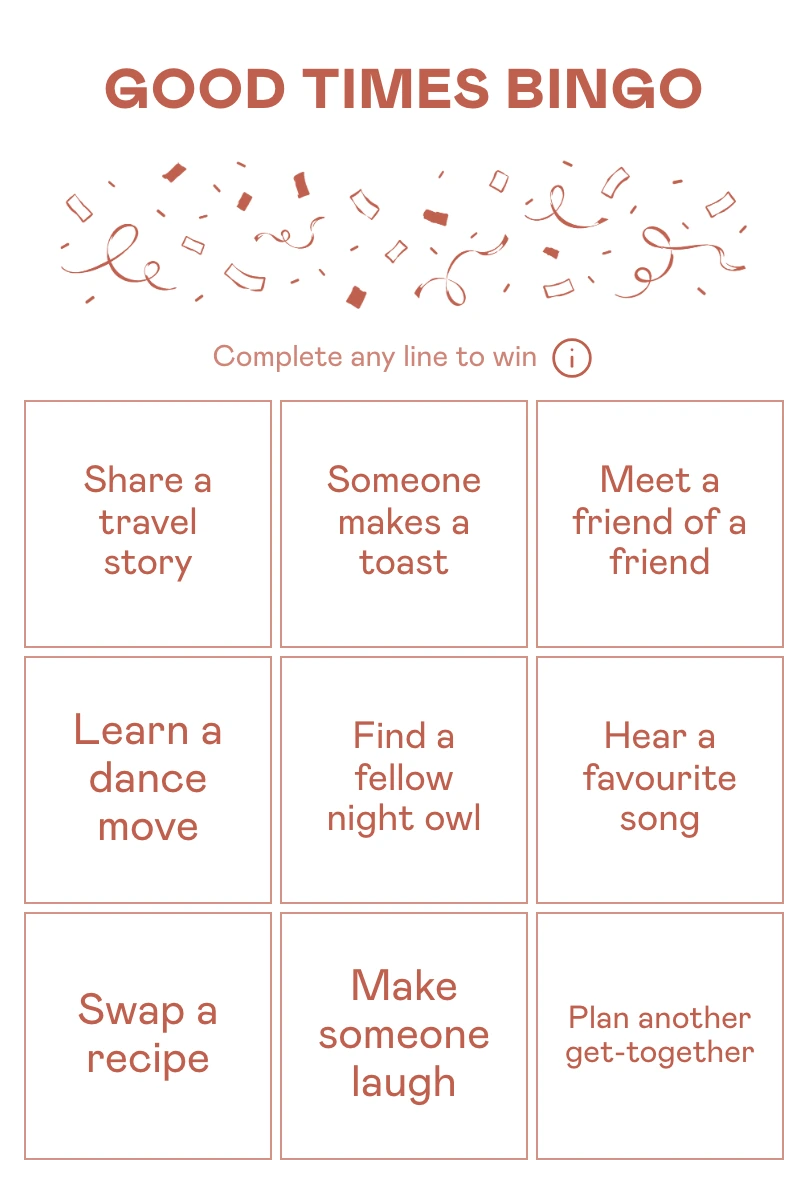
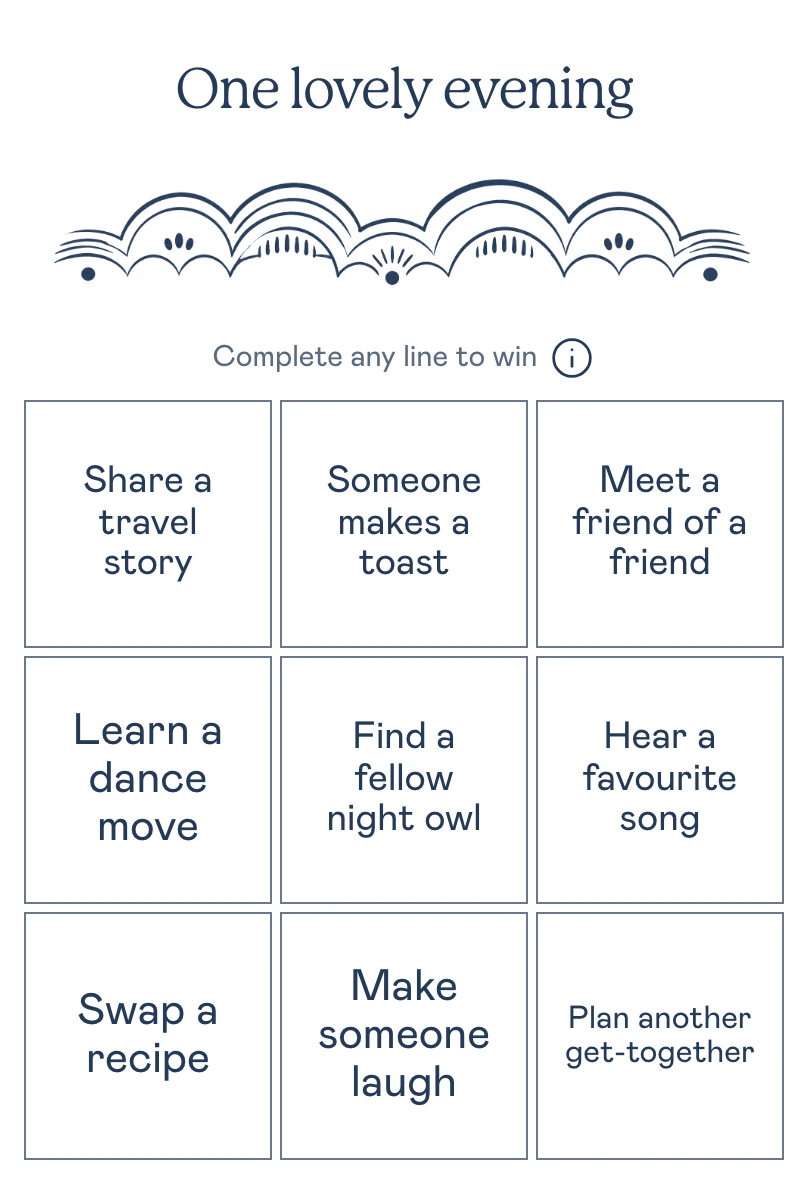
Change the title, illustration, font and colour. Go bright with confetti, choose a quieter evening design or try another combination. The same tasks can look completely different.
Your card, your rules
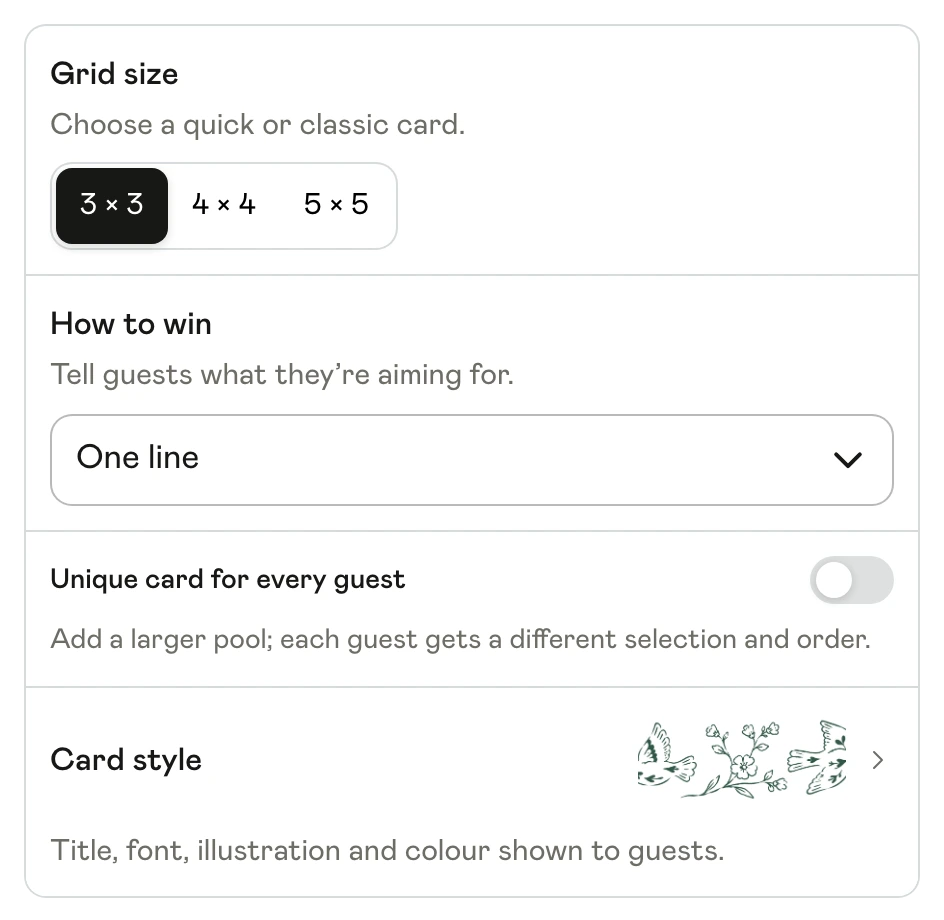
Choose guest clues, event moments, photo challenges or a mix. Use a 3 × 3, 4 × 4 or 5 × 5 grid. Set one line, two lines or the full card to win, with an optional free centre on a 5 × 5 card.
Choose the card’s style
Open Card style to edit the title, choose a font and pick a colour and illustration. The preview updates as you make changes.
Prepare, publish and follow along
Start with a theme and edit its squares. Give everyone the same card or varied cards from your pool. Preview and publish when ready, pause play if needed and check progress and photos in Results.
 How it works
Build the card
Create an event with Party bingo selected. Choose a format, fill the squares and set the winning pattern in the bingo editor.
Publish and share
Publish the card and share your event link or QR code. Guests open Bingo on their phones and follow the instructions on each square.
See who gets bingo
Guests tick moments, name the person they found or add a photo. The card recognises the winning pattern; you can follow progress in Results.
An easy start for a mixed group
Try a 3 × 3 card with “Meet a friend of a friend”, “Share a travel story” and “Learn a dance move”. Choose one line to win so guests can finish a round while they mingle.
See a wedding bingo exampleQuestions about Party bingo
Can I mix photos with conversation prompts?
Yes. Mixed bingo supports guest clues, moments and photo challenges on the same card. Each square shows the appropriate action to the guest.
Do I need to know every guest beforehand?
No. Event moments and general social tasks work without personal facts. Named guest clues need a matching person, which you can add before they join.
Does everyone need to start at the same time?
No. Guests can open a published card while the activity is live. It works alongside food, conversations or other parts of your event.